728x90
=====
https://findmypiece.tistory.com/115
=====
conf/server.xml 상에 애플리케이션 배포관련은 아래와 같이 적혀있다.
 <Host name="localhost"  appBase="webapps"
            unpackWARs="true" autoDeploy="true"
            xmlValidation="false" xmlNamespaceAware="false">
 	...
 </Host>
이 내용의 의미는 다음과 같다.
 <Host name="localhost"  appBase="webapps"
            unpackWARs="true" autoDeploy="true"
            xmlValidation="false" xmlNamespaceAware="false">
    <Context path="" docBase="ROOT" reloadable="true"/>
	...
 </Host>
기본값은 ROOT 이기 때문에 Document Root 는 webapps/ROOT 가 된다
appBase 는 Tomcat 에서 기본경로,
docBase 는 Tomcat 안에서 내부적으로 나눠지는 경로이다.
appBase와 docBase는 위와 같이 상대경로를 지정할 수도 있고 절대경로를 지정할 수도 있다.
위와 같이 상대경로로 지정할 경우 appBase는 Tomcat 설치 디렉토리를 기준으로 하고
docBase는 appBase 를 기준으로 한다.
그렇다면 Document Root 를 webapps/ROOT 이 아닌 아예 Tomcat 외부 경로로 지정하고 싶다면 어떻게 해야 할까?
예를 들어 /home/public_html/ 을 Document Root 로 설정하고 싶다고 가정해보자. 방법은 두가지이다.
1. appBase , docBase 둘 다 수정하는 방법
 <Host name="localhost"  appBase="/home"
            unpackWARs="true" autoDeploy="true"
            xmlValidation="false" xmlNamespaceAware="false">
    <Context path="" docBase="public_html" reloadable="true"/>
	...
 </Host>
2. docBase만 모두 수정하는 방법
<Host name="localhost"  appBase="webapps"
            unpackWARs="true" autoDeploy="true"
            xmlValidation="false" xmlNamespaceAware="false">
    <Context path="" docBase="/home/public_html" reloadable="true"/>
	...
 </Host>
2번과 같이 docBase에서 절대경로를 지정할 경우 appBase 설정은 무시된다.
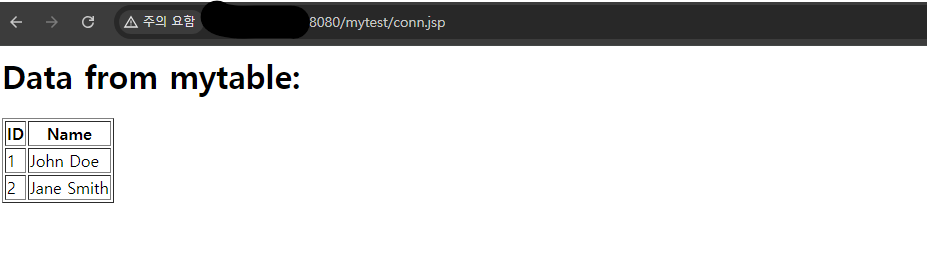
나의 경우엔 다음과 같이 설정했다.
      <Host name="localhost"  appBase="webapps"
            unpackWARs="true" autoDeploy="true">
            <Context path="/mytest" docBase="/myapp" reloadable="true"/>
'WAS > TOMCAT' 카테고리의 다른 글
| [Tomcat9] 마이너 버전 업그레이드 정리 (5) | 2025.07.21 |
|---|---|
| [tomcat9] web application 배포에 관련하여 (3) | 2025.07.18 |
| Session Clustering (멀티캐스트 아닌 방식) (0) | 2024.08.21 |
| 톰캣 - mysql 8 JNDI 연동 (0) | 2024.08.07 |
| 톰캣 멀티 인스턴스 구성 (0) | 2024.08.07 |


