728x90
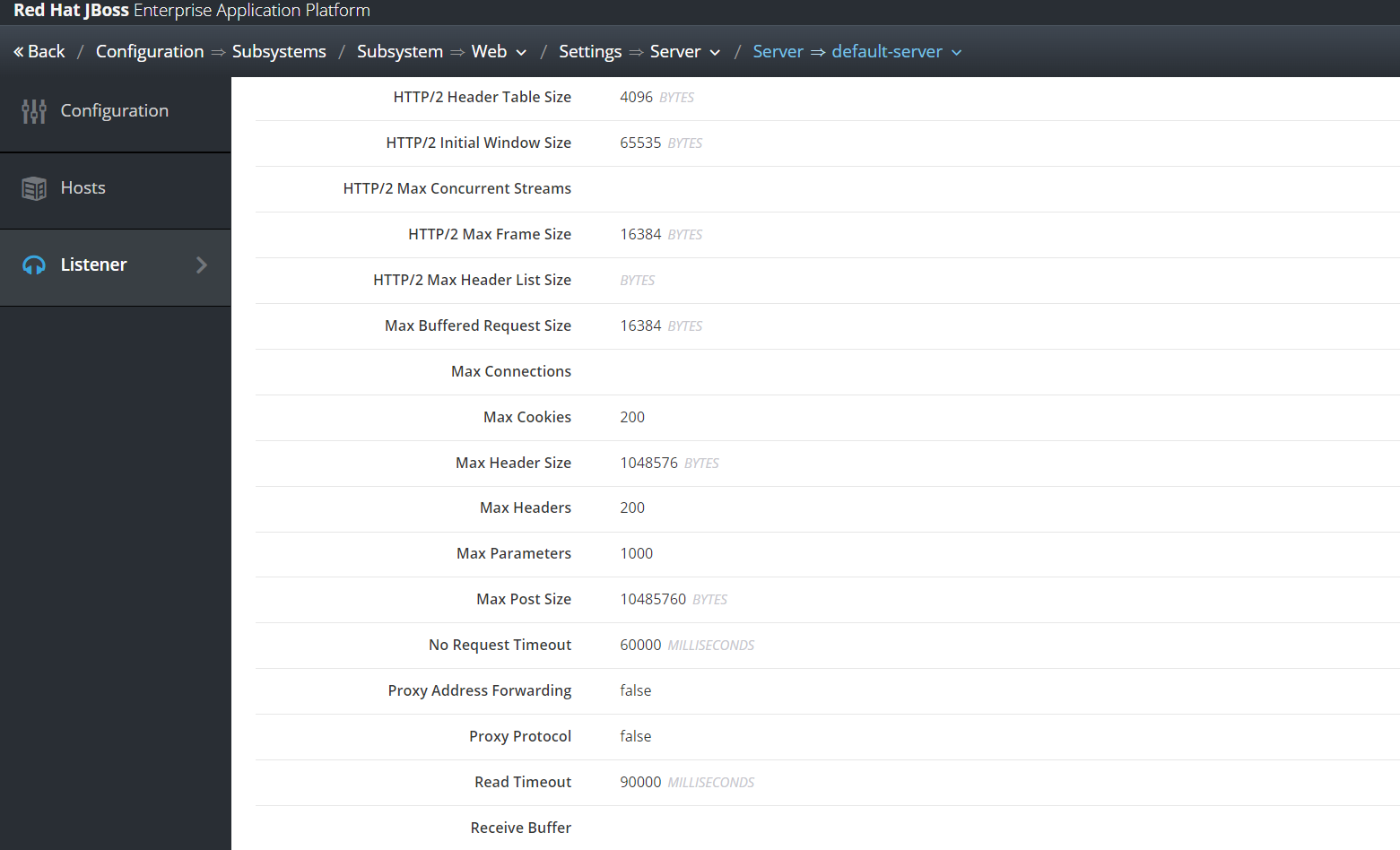
콘솔 - configuration - Subsystems - Web - Settings - Server - default-server - Listener - ${사용하는 LISTENER}
max-post-size를 설정하면 된다.
default값은 10MB (= 10485760 byte)
기본값으로만 되어 있는 경우 기동에 사용되는 config 파일에서는 이렇게 확인 할 수 있다.

        <subsystem xmlns="urn:jboss:domain:undertow:14.0" default-virtual-host="default-host" default-servlet-container="default" default-server="default-server" statistics-enabled="${wildfly.undertow.statistics-enabled:${wildfly.statistics-enabled:false}}" default-security-domain="other">
            <byte-buffer-pool name="default"/>
            <buffer-cache name="default"/>
            <server name="default-server">
                <ajp-listener name="ajp" socket-binding="ajp"/>
                <http-listener name="default" socket-binding="http" max-post-size="10485760" redirect-socket="https" enable-http2="true"/>
                <https-listener name="https" socket-binding="https" ssl-context="applicationSSC" enable-http2="true"/>
                <host name="default-host" alias="localhost">
                    <location name="/" handler="welcome-content"/>
                    <http-invoker http-authentication-factory="application-http-authentication"/>
                </host>
            </server>
            <servlet-container name="default">
                <jsp-config/>
                <websockets/>
            </servlet-container>
            <handlers>
                <file name="welcome-content" path="${jboss.home.dir}/welcome-content"/>
            </handlers>
            <application-security-domains>
                <application-security-domain name="other" security-domain="ApplicationDomain"/>
            </application-security-domains>
        </subsystem>
나의 환경에서는 ${JBOSS_DOMAIN_HOME}/configuration/standalone-ha.xml 에 기록되어있다.
'WAS > JBoss&WildFly' 카테고리의 다른 글
| [JBoss EAP 7] 성능 튜닝 관련 정리 (0) | 2024.10.11 |
|---|---|
| [JBoss EAP 7.4] ssl 사용하기 (1) | 2024.09.11 |
| [JBoss EAP 7.4] vi로 nohup 로그를 열 때 ^[[ 문자가 나오는 경우 (1) | 2024.03.06 |
| [JBoss EAP 7.4] ExampleDS 와 h2 driver 삭제 (0) | 2024.02.28 |
| [JBoss 7.4] thread 수 설정 (0) | 2024.02.08 |

