728x90
참고
1. <Location> 태그를 쓰면 해당 PATH에 대한 요청은 WAS가 처리하게 된다.
※ <Location> 태그 작성 시에, 반드시 태그 안에
WLRequest ON
혹은 setHandler weblogic-handler 옵션을 써주자
(default 값은 setHandler weblogic-handler)
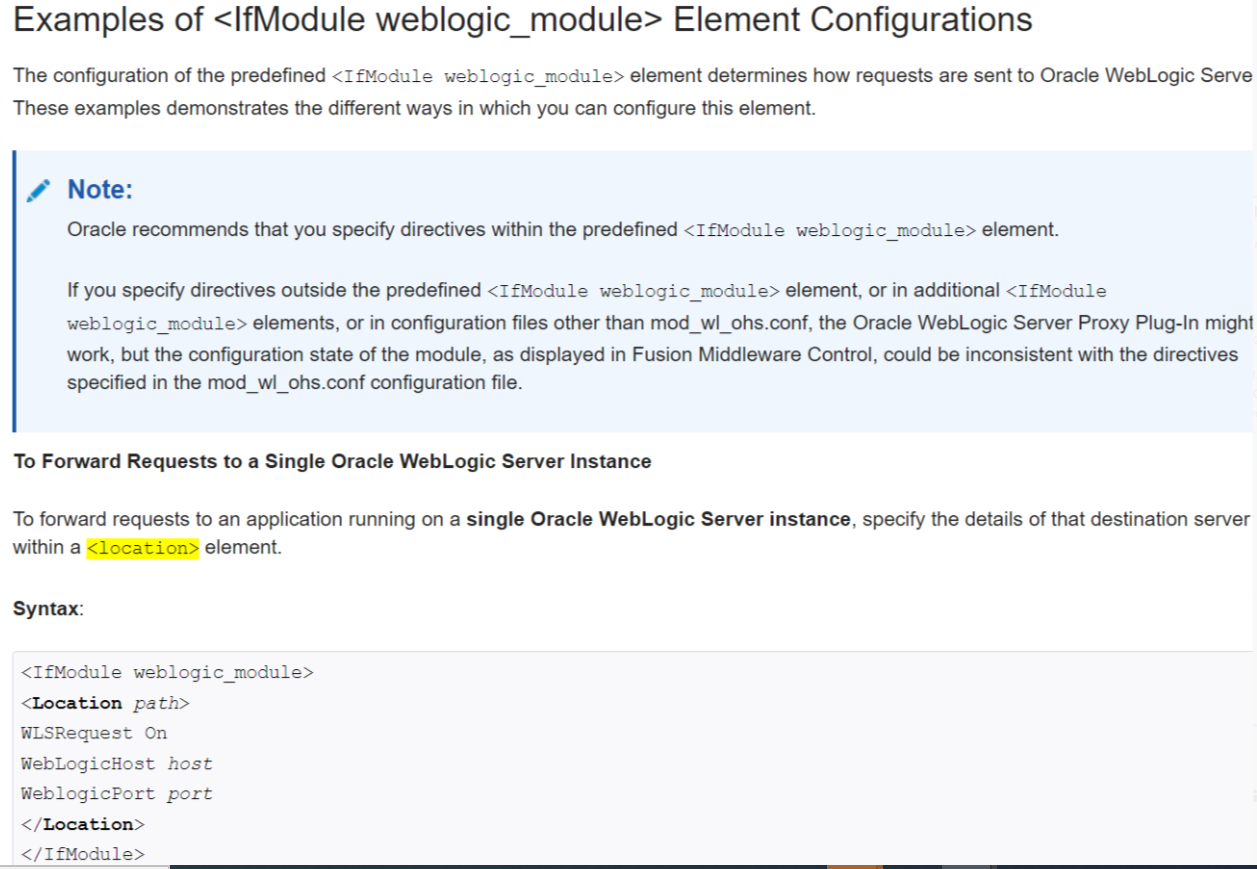
To forward requests to an application running on a single Oracle WebLogic Server instance,
specify the details of that destination server within a <location> element.
Syntax:
<IfModule weblogic_module>
  <Location path>
    WLSRequest On
    WebLogicHost host
    WeblogicPort port
  </Location>
</IfModule>Example:
With the following configuration, requests for the /myapp1 URI received at the Oracle HTTP Server listen port will be forwarded to /myapp1 on the Oracle WebLogic Server with the listen port localhost:7001
<IfModule weblogic_module>
  <Location /myapp1>
    WLSRequest On
    WebLogicHost localhost
    WeblogicPort 7001
  </Location>
</IfModule>
To forward requests to an application running on a cluster of Oracle WebLogic Server instances, specify the details of that destination cluster within a new <location> element.
Syntax:
<IfModule weblogic_module>
  <Location path>
    WLSRequest On
    WebLogicCluster host:port,host:port,...
  </Location>
</IfModule>
Example:
With the following configuration, requests for the /myapp2 URI received at the Oracle HTTP Server listen port will be forwarded to /myapp2 the Oracle WebLogic Server cluster containing the managed servers with the listen ports localhost:8002 and localhost:8003.
<IfModule weblogic_module>
  <Location /myapp2>
    WLSRequest On
    WebLogicCluster localhost:8002,localhost:8003
  </Location>
</IfModule>
예시를 보면 <Location /PATH> 로 작성하게 되면
WLRequest ON 및 Set-Handler 옵션으로 인해
모든 MimeType 및 PATH 들은 WAS에서 처리를 하게 된다.
따라서 정적 파일들을 Web-Server 의 DocumentRoot에 놨다 한들,
<Location> 태그로 인하여 WAS장비의 Application 배포 경로에서 정적 파일들을 찾는 것이다.
WAS 장비에 배포하는 애플리케이션은 동적인 파일들이다.
이러한 이유로 404가 날 수 밖에 없다.
그렇기에 WLExcludePathOrMimeType을 작성하여 WAS 로 던지지 않을 확장자 들을 명시해주자
2. MatchExpression 파라미터는 <Location> 태그 내부가 아닌
<IfModule weblogic_module> 태그 내에 작성하자
-
To proxy requests by MIME type, add a MatchExpression line to the <IfModule> block. Note that if both MIME type and proxying by path are enabled, proxying by path takes precedence over proxying by MIME type.For example, the following <IfModule> block for a non-clustered WebLogic Server specifies that all files with MIME type .jsp are proxied:You can also use multiple MatchExpressions, for example:If you are proxying requests by MIME type to a cluster of WebLogic Servers, use the WebLogicCluster parameter instead of the WebLogicHost and WebLogicPort parameters. For example:
만일 이 Rule을 지키지 않는 경우, Error_log 상에서 이러한 메시지를 발견할 수 있다.
Neither 'WebLogicCluster' nor 'WebLogicHost' specified in parameters
3. <Location /> 인 설정은 모든 <Location> 태그 보다 앞에 작성해야 한다.
WebLogic 플러그인 설정 시에 Location 기반의 설정을 한다면, 매치 되는 가장 마지막 Rule 이 설정된다
예를 들어, 특정 URL을 root(/)와 다르게 Rule을 설정하고 싶다면, 아래와 같이 설정해야 한다
즉, 순서를 다음과 같이 / 가 가정 먼저 설정되어야 한다.
<Location / >
......
</Location>
<Location /shopping >
......
</Location>
<Location /payment >
......
</Location>
위와 반대로 <Location />가 가장 마지막에 나온다면, 모든 요청이 해당 Rule로 요청될 수 있음에 주의해야 한다
3. [야매] <Location /> 인 설정으로 애플리케이션이 동작이 잘 안된다 싶으면, <Location /*> 으로 해보자
1. index 페이지 에서 로그인을 진행
2. http://WEB_IP:WEB_PORT/j_spring_security~~ 로직이 인증 작업을 거치게 됨
애플리케이션 별로 상이하겠지만, 이 상황에서의 해당 로직은 jsp나 do와 같은 페이지나 물리적인 PATH가 아니며,
소스 내부적인 로직에 의한 method단에서 처리가 되는 거라고 한다.
3. 근데 이 단계에서 페이지가 넘어 가질 않음. 로그인 처리가 정상적으로 진행되지 않았다.
당시 mod_wl_ohs.conf에 작성한 내용은 대략적으로 다음과 같다.
<IfModule weblogic_module>
  WebLogicCluster IP1:PORT1,IP2:PORT2
  MatchExpression *.jsp
  MatchExpression *.do
  WLExcludePathOrMimeType *.html,*.css,*.js ...
</IfModule>

<Location />
  setHandler weblogic-handler
  .....
</Location>
<Location /> 자체가 WLExcludePathOrMimeType 확장자를 제외한
모든 PATH에 대한 처리를 WAS가 하도록 하는 설정인데, 안 통했다.
그래서 수정으로 이렇게 해보았다.
<IfModule weblogic_module>
  WebLogicCluster IP1:PORT1,IP2:PORT2
  MatchExpression *.jsp
  MatchExpression *.do
  WLExcludePathOrMimeType *.html,*.css,*.js ...
</IfModule>
<Location />
  setHandler weblogic-handler
  .....
</Location>
<Location /j_spring_security~~>
  setHandler weblogic-handler
  .....
</Location>
근데 이 방법도 통하지가 않았다.
그래서 애플리케이션 개발 담당자에게 로직 수정을 요청하였다.
우선 <Location> 태그 자체가 물리적인 PATH를 타는 것이라 생각해서다.
근데 최근에 다시 방문을 해보니
이렇게 설정이 되어있더라
<IfModule weblogic_module>
  WebLogicCluster IP1:PORT1,IP2:PORT2
  MatchExpression *.jsp
  MatchExpression *.do
  WLExcludePathOrMimeType *.html,*.css,*.js ...
</IfModule>
<Location /*>
  setHandler weblogic-handler
  .....
</Location>
<Location> 태그를 <Location /*> 이렇게 작성하니 잘 된다고 하는대.....
나 뿐만 아니라 WebLogic 프로젝트를 해본 PL님도
이게 통하는게 맞나요? 이런 형태를 본 적이 없는데.. 라며 의아했다.
근데 일단 통한다니 넘어 갔다만...
일단 이건 오피셜한 방법은 아니기에 야매라고 지칭한다.
그리고 애플리케이션 마다 다 다르기 때문에 이런 경우가 먹히기도 하고,
안 먹힐 수도 있음을 확실히 인지하고는 있어야 한다.
※ 이런식으로 진행하다가 또 안되는 부분이 있으면
<Location /*>
...
</Location>
<Location /aa/*>
...
</Location>
이런식으로 분기하면서 *를 찍어봐야 할 수도 있다는 말을 옆팀 대리님 으로부터 들었다...
'WEB-SERVER > OHS & JBCS & Apache' 카테고리의 다른 글
| Staging & Runtime Directory (0) | 2023.07.17 |
|---|---|
| Log Rotation 하기 (0) | 2023.07.17 |
| [OHS 12c R2 / Apache 2.4] Error Page 설정 (0) | 2023.07.12 |
| [OHS 11g] 80 Port 사용 법 & 컴포넌트 상태 조회 법 (0) | 2023.07.06 |
| OHS 11g 설치 (0) | 2022.01.24 |


