728x90
for ds_list in `grep "statistics-enabled=\"true\"" /sw/domains/server1/configuration/standalone-ha.xml | cut -d '"' -f 4`
do
    echo "[ ${ds_list} ]"
    ./jboss-cli.sh --connect --controller=xxx.xxx.xxx.xxx:9990 --command="/subsystem=datasources/data-source=${ds_list}/statistics=pool:read-resource(recursive=true,include-runtime=true)" | egrep 'ActiveCount|AvailableCount|CreatedCount|DestroyedCount|IdleCount|InUseCount|statistics-enabled'
done
옆 팀 사원님께서 사용하고 계신 쉘이다. 제공해 주심에 압도적 감사...
우선 쉘 기동 시 체크해야 할 부분은 데이터소스의 통계 부분을 활성화 되어 있어야 한다.
데이터소스의 통계 부분 활성화는 아래의 화면에서 할 수 있다.
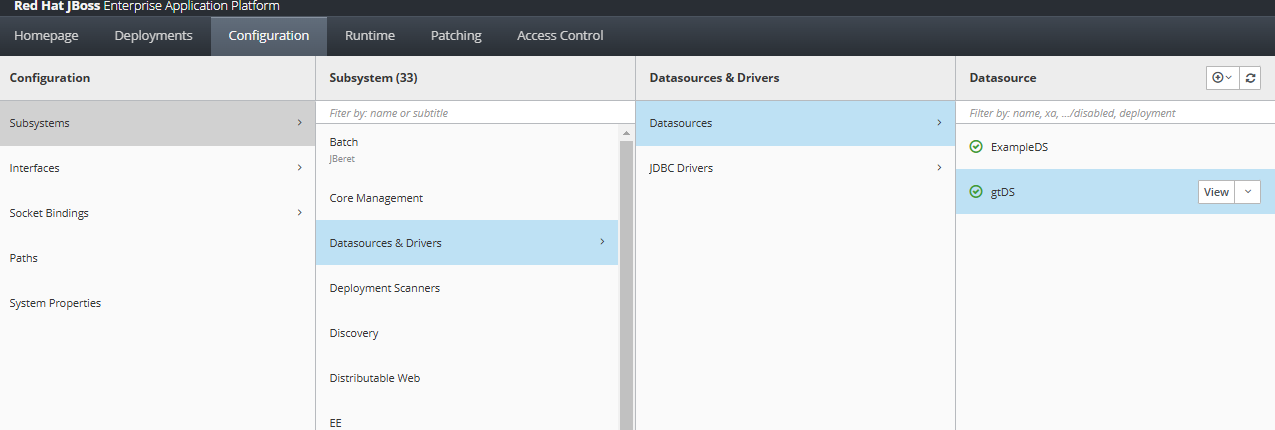
Configuration - Datasources & Drivers - Datasources - ${DS} - View

Attributes - Statistics Enabled를 true로 변경 후 reload 혹은 restart
'WAS > JBoss&WildFly' 카테고리의 다른 글
| [JBoss EAP 7] logmanager 관련 기동 이슈 (1) | 2025.06.30 |
|---|---|
| [JBoss EAP 7] unescape code 관련 지원 (0) | 2025.04.29 |
| [JBoss EAP 7.4] Stuck Thread 로깅 설정 (0) | 2024.12.11 |
| [JBoss EAP 7] 성능 튜닝 관련 정리 (0) | 2024.10.11 |
| [JBoss EAP 7.4] ssl 사용하기 (1) | 2024.09.11 |
