728x90
현재 jbcs-apache 버전은 2.4.57이다.
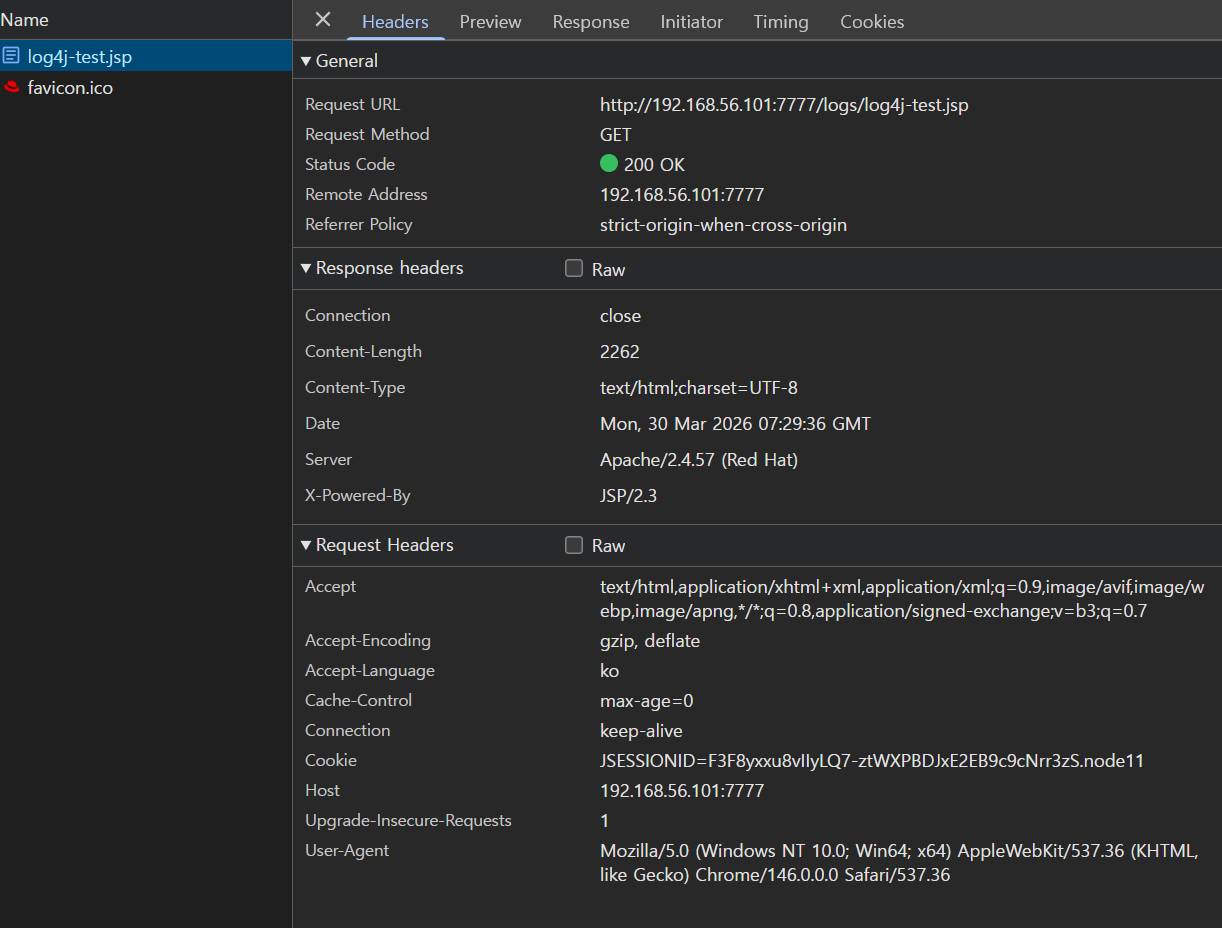
마이크로 업데이트 순서는 다음과 같이 진행했다.
1. 기존 jbcs 이름 변경(jbcs-httpd24-2.4 -> jbcs-httpd24-2.4_57) 및 jbcs 2.4.62. 버전 zip 파일 압축 해제
[app@test11 web]$ mv jbcs-httpd24-2.4 jbcs-httpd24-2.4_57
[app@test11 web]$ unzip jbcs-httpd24-httpd-2.4.62-RHEL9-x86_64.zip
Archive:  jbcs-httpd24-httpd-2.4.62-RHEL9-x86_64.zip
NAME:         jbcs-httpd24-compose
VERSION:      2.4.62
RELEASE:      8.el9jbcs
SUMMARY:      JBoss Core Services
DISTRIBUTION: Red Hat
VENDOR:       Red Hat, Inc.
LICENSE:      LGPL
PACKAGER:     Red Hat, Inc. <http://bugzilla.redhat.com/bugzilla>
GROUP:        "Development/Installer"
OS:           Linux
ARCH:         x86_64
TIMESTAMP:    Wed, 05 Mar 2025 09:58:11 -0500
   creating: jbcs-httpd24-2.4/httpd/
   creating: jbcs-httpd24-2.4/httpd/bin/
  inflating: jbcs-httpd24-2.4/httpd/bin/apr-1-config
  inflating: jbcs-httpd24-2.4/httpd/bin/apu-1-config
[압축 해제 후 상황]

2. /sw/web/jbcs-httpd24-2.4/httpd 경로로 이동
3. .postinstall 실행
[app@test11 web]$ pwd
/sw/web
[app@test11 web]$ ls -rtl
total 16280
-rw-r--r--. 1 app app 7311568 Mar 13 15:49 jbcs-httpd24-httpd-2.4.62-RHEL9-x86_64.zip
-rw-r--r--. 1 app app 9351308 Mar 30 15:34 jbcs-httpd24-httpd-2.4.57-RHEL8-x86_64.zip
drwxr-xr-x. 4 app app      35 Mar 30 15:53 jbcs-httpd24-2.4_57
drwxr-xr-x. 3 app app      19 Mar 30 16:41 jbcs-httpd24-2.4
[app@test11 web]$ cd ./jbcs-httpd24-2.4/httpd/

[app@test11 httpd]$ pwd
/sw/web/jbcs-httpd24-2.4/httpd
[app@test11 httpd]$ ls -al
total 488
drwxr-xr-x. 18 app app   4096 Mar  5  2025 .
drwxr-xr-x.  3 app app     19 Mar 30 16:41 ..
-rw-r--r--.  1 app app  13497 Feb 21  2020 ABOUT_APACHE

...

-rwxr-xr-x.  1 app app   5798 Mar  5  2025 .postinstall
-rwxr-xr-x.  1 app app    143 Mar  5  2025 .postinstall.selinux
-rwxr-xr-x.  1 app app    549 Mar  5  2025 .postinstall.services.cleanup
-rwxr-xr-x.  1 app app   2132 Mar  5  2025 .postinstall.systemd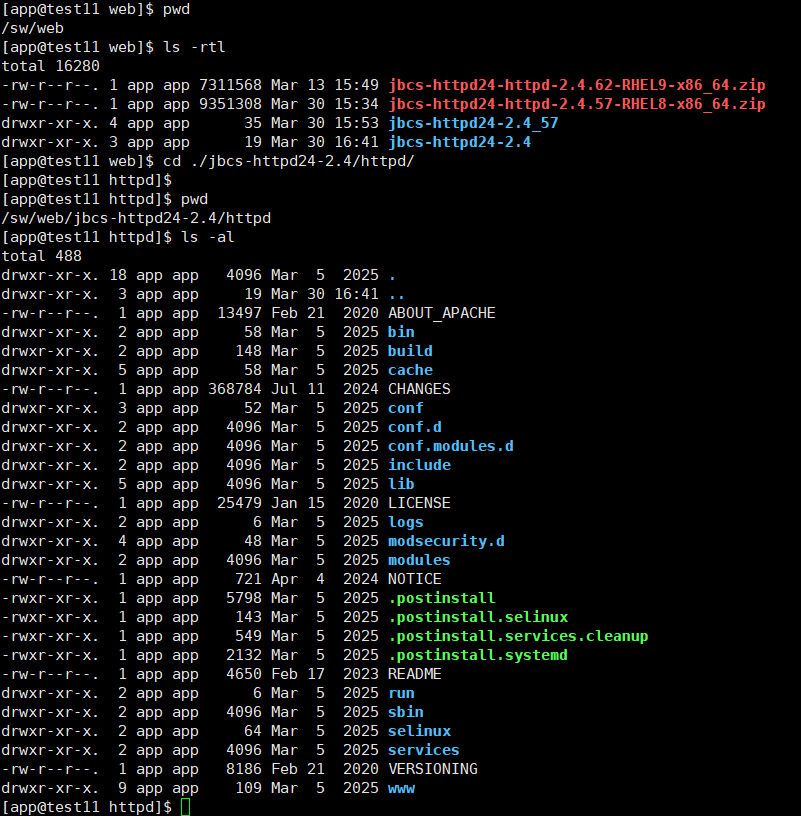
./.postinstall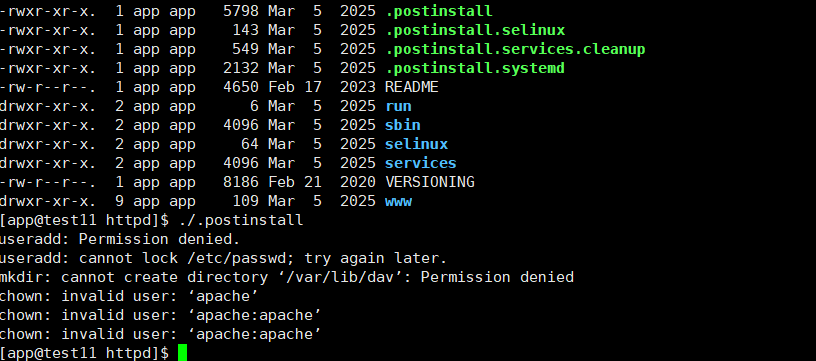
4. install 뒤, sbin/apachectl 을 통해서 Version 확인

5. 2.4.62에 존재하는 conf, conf.d, conf.modules.d 경로에 대해 이름을 변경,
기존 2.4.57에서 사용하던 conf 파일(경로)를 2.4.62 경로로 카피 해오기
[app@test11 httpd]$ mv conf conf_org
[app@test11 httpd]$ mv conf.d conf.d_org
[app@test11 httpd]$ mv conf.modules.d conf.modules.d_org
[app@test11 httpd]$
[app@test11 httpd]$ cp -r /sw/web/jbcs-httpd24-2.4_57/httpd/conf
conf/           conf.d/         conf.modules.d/
[app@test11 httpd]$ cp -r /sw/web/jbcs-httpd24-2.4_57/httpd/conf ./
[app@test11 httpd]$ cp -r /sw/web/jbcs-httpd24-2.4_57/httpd/conf.d ./
[app@test11 httpd]$ cp -r /sw/web/jbcs-httpd24-2.4_57/httpd/conf.modules.d ./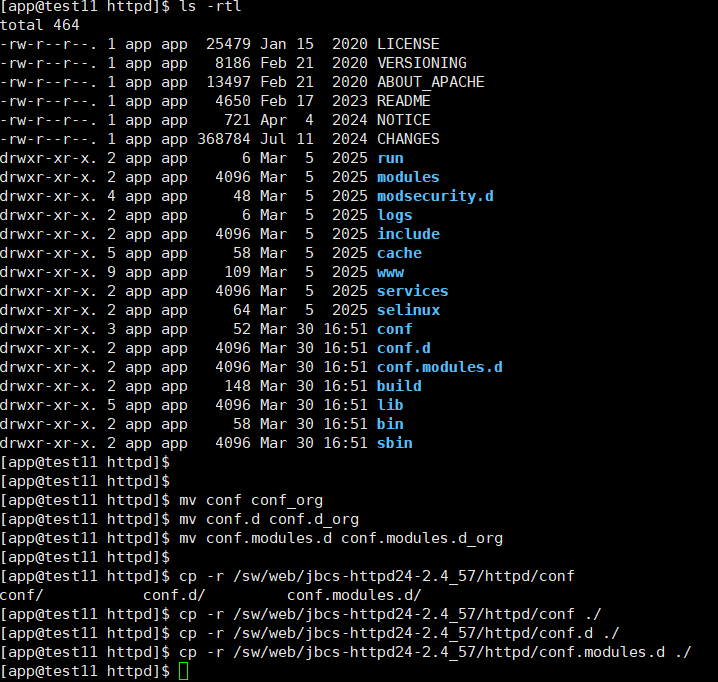
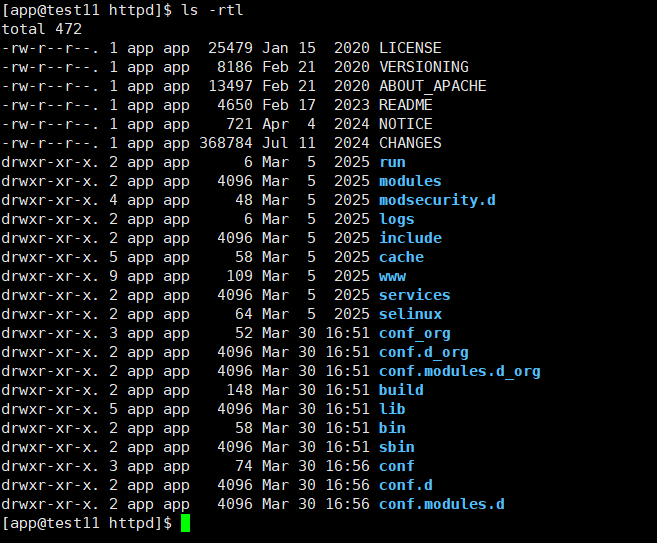
그러고서 기동을 해보았는데 다음의 ERROR 메시지가 나왔다.
[Mon Mar 30 17:01:24.586653 2026] [:warn] [pid 5995:tid 5995] EnableMCPMReceive is deprecated misspelled version of 'EnableMCMPReceive' configuration option.Please update your configuration.
AH00526: Syntax error on line 19 of /sw/web/jbcs-httpd24-2.4/httpd/conf.d/mod_proxy_cluster.conf:
Directory cannot be used with EnableMCMPReceive, use Location instead
이건 서비스 관련이라기 보단, 기본 설정이 변경됨에 따른 기동 불가 현상이니,
오타에 대해서 정정하라는 내용대로 수정 작업을 진행해주자.
6. /sw/web/jbcs-httpd24-2.4/httpd/conf.d/mod_proxy_cluster.conf 를 수정
[app@test11 httpd]$ diff ./conf.d/mod_proxy_cluster.conf ./conf.d_org/mod_proxy_cluster.conf
< [2.4.57의 mod_proxy_cluster.conf]
<     <IfModule manager_module>
<       Listen 6666
<       <VirtualHost *:6666>
<         DirectoryIndex disabled
<         <Directory />
<           Require ip 127.0.0.1
<         </Directory>
<         ServerAdvertise on
<         EnableMCPMReceive
<         <Location /mod_cluster_manager>
<           SetHandler mod_cluster-manager
<           Require ip 127.0.0.1
<        </Location>
<       </VirtualHost>
<     </IfModule>
---
[2.4.62의 mod_proxy_cluster.conf]
> <IfModule manager_module>
>   Listen 6666
>   <VirtualHost *:6666>
>     DirectoryIndex disabled
>     <Location />
>       Require ip 127.0.0.1
>     </Location>
>     ServerAdvertise on
>     EnableMCMPReceive
>     <Location /mod_cluster_manager>
>       SetHandler mod_cluster-manager
>       Require ip 127.0.0.1
>    </Location>
>   </VirtualHost>
28d23
<

conf 엎어치기 만으로도 서비스는 돌아가는 것을 확인할 수 있다.
'WEB-SERVER > OHS & JBCS & Apache' 카테고리의 다른 글
| mod_proxy(이론) (1) | 2026.04.14 |
|---|---|
| [Apache/JBCS] 특정 URL만 접근 허용 간단 test (0) | 2026.04.07 |
| [Apache,JBCS] max-ajp-packet-size (0) | 2026.03.06 |
| weblogic plug-in Parameter인 WLProxySSL (0) | 2026.01.30 |
| [OHS] SNI 에 관하여 (0) | 2025.12.05 |